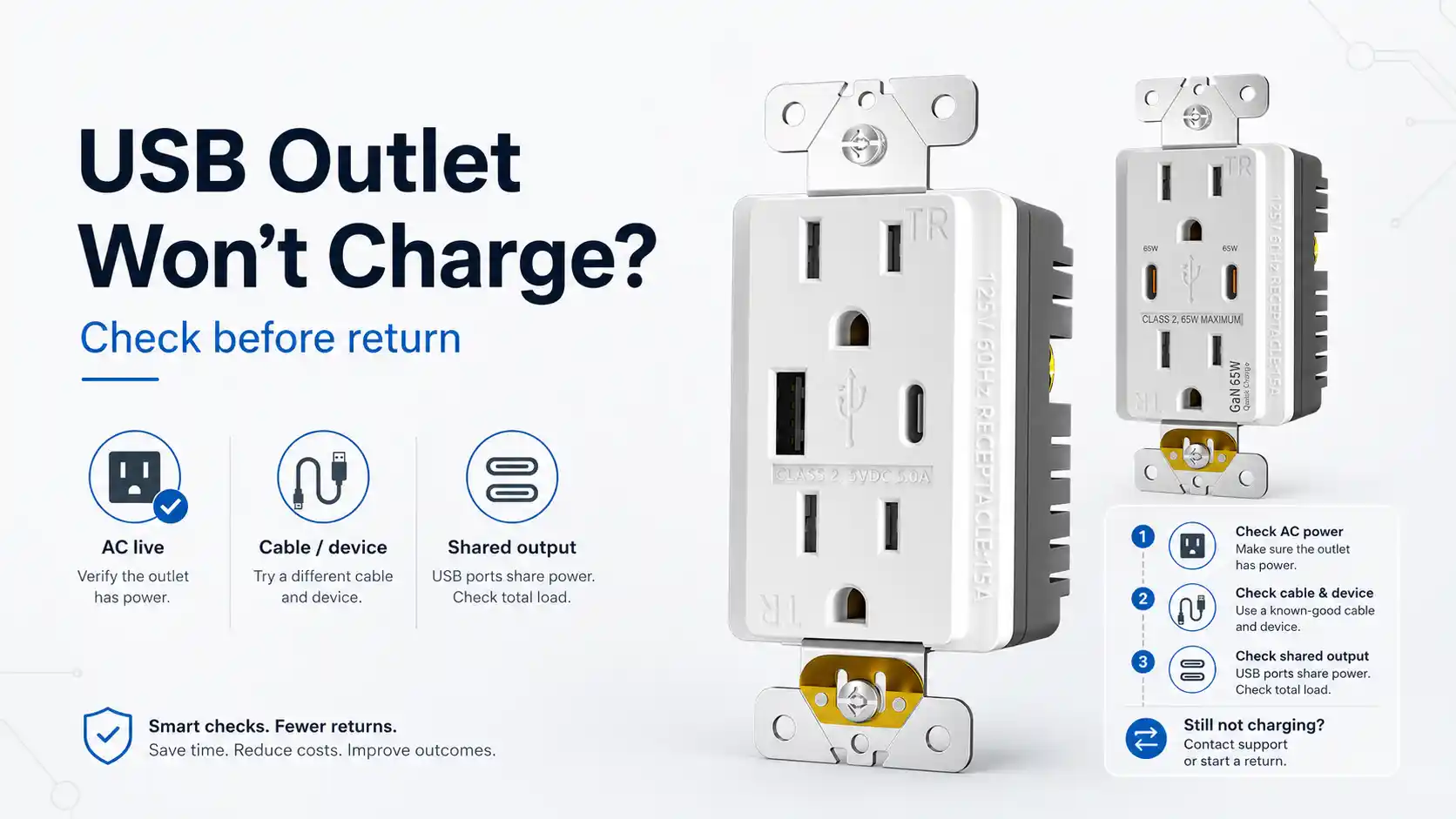
A USB outlet carries two separate power paths behind one faceplate: the 125V receptacle, and a Class 2 charging module. Treat “USB outlet one port not working” as a single defect, and good units go back with the bad ones.
We build UL/cUL-listed USB receptacles for North America. The faces run A/A, A/C, and C/C; output runs from a non-PD 4.8A unit up to PD 65W. We don’t run service calls and we don’t wire job sites. What we can hand a buyer is the same split we use on the line, so an RMA opens for the right reason — or doesn’t open at all.
Before anything ships back, this is the sort.
| The complaint | Most likely cause | Check before the RMA |
|---|---|---|
| AC plug works, both USB ports dead | the USB module or the feed, not the face | read the AC result and the USB result as two separate tests |
| Old USB-A cable charges, the new C-to-C cable doesn’t | the device’s USB-C handshake | try an A-to-C cable, then a known-good PD phone |
| One port slows down once a second device goes in | output sharing across the two ports | pull the second device, charge the first one alone |
| Charging starts, drops, comes back, drops again | the device-side charging identification | swap in a different phone brand |
| The plug wobbles or won’t seat | connector or port damage | look into the port, check that it grips a plug |
Most of these never needed a return. One or so row does.
“Works, but the USB ports don’t” covers several different faults
Pull up any forum thread on this and the same photo gets three answers. It’s a dud , USB wall outlet not charging, replace it. The polarity got reversed on install, or an upstream outlet on the same circuit got knocked loose. Reset the breaker for thirty seconds and stop worrying.
Each answer points at a different fault.
For a buyer holding a carton of them, that disagreement is the cost. A homeowner can try all three and get on with the day. A distributor has to put a reason code on the return. The wrong code turns a cable complaint into a quality claim against the whole lot. The lot gets quarantined while someone works out what went wrong.
Split the AC test from the USB test first
The two halves share one thing: line power. Cut the AC and the USB ports die with it, because they sit downstream of the same hot and neutral. The dependency only runs that one direction.
Behind the face, the sub-circuits are separate. A fault on the charging side leaves the receptacle working, and a worn receptacle contact doesn’t stop the USB module from putting out 5V. “The AC plug still works” confirms the line is live. It says nothing about the USB module.
Two results, each read on its own:
- AC dead, USB dead — it’s the feed or the install, not the unit. An upstream outlet on the same circuit that worked loose will kill everything downstream of it, and the new USB outlet takes the blame for a connection it never touched. Check the upstream outlet and the terminations.
- AC live, USB dead — the charging module, the cable, or the device. Keep going down the table.
The UL listing splits along the same seam, and it shows up on the paperwork. The receptacle is evaluated to UL 498 — the standard behind a plain duplex, a TR face, a GFCI. The charging side is a Class 2 power unit under UL 1310. One face, two evaluation scopes. The AC receptacle side and the Class 2 charging side do not describe the same function. A PO that says “UL 498, 15A” has specified the receptacle and said nothing about the USB output.
The C-to-C cable that looks like a dead outlet
This one comes back as a defect far more than it earns.
A customer puts a phone on the USB-C port with a C-to-C cable. Nothing. They dig out an older USB-A to USB-C cable, and it charges fine. The newer cable fails and the older one works, which reads backwards.
Treat it as a handshake problem before treating it as a dead outlet. The mechanism matters because it changes what you test. A USB-C charging port holds back power until the device asks for it. That request comes from a small resistor on the device’s end. Some cheap accessories leave it out to save a few cents, so the port never switches on. Budget accessories drop those resistors to save a few cents. A USB-A port never runs that check — it hands over 5V the moment a plug goes in.
So one outlet reads dead with one cable and fine with the next, and the outlet did not change between the two.
We learned this early, and it cost us a chip redesign. Back in 2015 our USB outlet was about a year old — dual USB-A, 4.8A total, plain. At the Canton Fair a buyer from Las Vegas, an electronics guy who did chargers, picked two samples up off the table.
He tested them at home and came back with an order for 7,500. New product, a big number for us then, so we ran that batch like it was glass. First shipment went clean. Three months later he ordered ten thousand more.
Then his customers’ iPhones started acting up. Charge, drop off, sit a moment, pick back up on their own, over and over. He figured it was the cables. Couldn’t pin it down. He sent five units back. At first we couldn’t make it fail on our bench either. I’d have to dig up the old emails to get the dates straight, but it dragged on. He’s the one who told us to test against the newest iPhone of that year.
We bought one, and there it was: the phone’s charging identification didn’t line up with our early board, so it kept dropping the connection and re-negotiating. We put a charging-control chip on the board to handle the device-side handshake, shipped him five thousand of the corrected units, and the complaints stopped.
A charge that starts and stops is that handshake at work. The port underneath can be fine.
For a buyer, the test sequence is short: an A-to-C cable, then a known-good PD phone on the C port. Both charge — the outlet was never the problem.
One port looks weak — output sharing, not a dead port
Two ports on the face don’t mean two full chargers behind it.
Plug one device into one port and a 65W unit gives it the whole 65W on our design. Put a second device on the other port at the same time, both pulling hard, and the unit splits the total between them — roughly evenly when both want everything. The number printed on the device is the total output. It isn’t a per-port promise.
So a customer charges a laptop and a phone together, the laptop crawls, and the ticket reads “second port not working.” The port works. It’s sharing what it has.
Two design approaches exist behind that behavior. One fixes a set output on each port no matter what else is plugged in; the other shares a single pool across both ports. Ours shares — which is the reason the second device pulls the first one down. A buyer who needs each port to hold a guaranteed figure has to ask for it, because a shared design will not behave that way on its own.
That number rarely makes it onto a datasheet. The sheet prints the total; it leaves out what each port delivers when both are loaded. For a hotel nightstand or an office desk where two devices land at once, the both-loaded figure is the one that decides whether the front desk hears about it.
When it actually is the unit
Sometimes it is the device. The short version.
A port that wobbles, grips loose, or won’t hold a cable without being propped — that’s mechanical, and that’s a real return. On our line the receptacle contacts get the same retention test as a plain duplex. The USB connectors get checked by sampling at incoming inspection, by the batch, before assembly — we pull plugs and test the grip then, not after the unit is built.
The test that isn’t a sample: every assembled USB outlet runs a full-load stress cycle before it leaves. A PD 65W unit is held at 65W output for 48 hours. That one is 100%, piece by piece.
A port that’s dead out of the box, survives the cable swap and the device swap, with the AC side live — that is the unit. Open the RMA.
Writing the PO line so the next order doesn’t come back
A good share of the returns we’ve traced started on the PO, not at the wall.
“USB outlet, 15A, TR” describes the receptacle and leaves the charging side empty. The 15A is the AC rating under UL 498. It says nothing about the USB output — 4.8A, 20W, or 65W. Nothing about the face: A/A, A/C, or C/C. Nothing about how the ports behave when both are loaded.
A line that holds up tends to spell out:
- the USB output on its own — 5V/4.8A, PD 20W, or PD 65W — separate from the AC rating
- the face configuration, A/A or A/C or C/C, instead of leaving it to “USB outlet”
- the both-ports-loaded behavior, when two devices will share one outlet
- TR, which on our line is on every USB face already
One thing to put in front of a buyer specifying a combo: our GFCI + USB units run 4.8A only. There is no PD version of that combo on our line. A spec that wants GFCI protection and 65W charging in one device is asking for two products, not one.
What we can speak to, and what we can’t
We make the device and we test the device. We can sort your returns: which are a unit, which are a cable, which are a device handshake, which are an output misread. Then we write the spec so the next batch ships against the right numbers.
We don’t visit the job site. We don’t diagnose the branch circuit, the upstream outlet, or the install, and we don’t sell at the DIY counter. When a return traces back to reversed wiring or a loose upstream connection, we can point to the finding. We don’t perform the repair.
FAQ
Why does my USB outlet work but not the USB ports?
The receptacle and the USB module are separate circuits fed by one line. Live AC at the plug only confirms the feed. When the AC works and both USB ports are dead, the charging side, the cable, or the device is the place to look — not the receptacle face.
Why does only one USB port work when I have two devices plugged in?
That’s sharing, not a failure. The total output divides across both ports; charge one device alone and the “dead” port comes back.
My USB-C port won’t charge with a C-to-C cable, but USB-A to C works. Is the outlet bad?
The outlet is doing its job. A USB-C power port waits for a 5.1kΩ pull-down resistor on the device’s CC pins before it sends 5V, and some budget devices leave that resistor out. A USB-A port sends 5V with no such check, so the older cable charges while the newer one sits dead. Put a known-good PD phone on the C port before you call the outlet defective.
Can a USB outlet go bad?
Yes — connectors wear and modules fail. A port that survives a cable swap and a device swap with live AC has not failed.
Does charging slow down when both ports are in use?
On a shared-output unit, yes — the total splits between the two ports, so two hungry devices each get less than one alone would.
Sources
- UL 498, Attachment Plugs and Receptacles — scope covers attachment plugs, receptacles, cord connectors, inlets, current taps, and related devices intended for connection to a branch circuit:
UL 498 Scope - UL 1310, Class 2 Power Units — scope covers indoor and outdoor Class 2 power supplies and battery chargers:
UL 1310 Scope - IAEI, Receptacles with USB Chargers — explains 2017 NEC 406.3(F), 406.6(D), and the applicable UL 498 / UL 1310 relationship for receptacles with USB chargers:
IAEI USB Charger Receptacle Discussion - USB-IF, USB Type-C Cable and Connector Specification — Type-C attach detection and source / sink behavior:
USB Type-C Specification - Chromium OS USB-C cable and adapter reference — VBUS is applied only after valid UFP detection on the CC pin:
USB-C CC / VBUS Reference - USB-IF, USB Power Delivery — overview of USB PD and higher-power USB-C charging:
USB Power Delivery Overview - Plugable, Understanding USB-C Charging Issues — consumer-facing explanation of why some devices charge with USB-A to USB-C but not USB-C to USB-C:
USB-C to USB-C Charging Issue Explanation
Related reading
Before the return starts
Browse the USB wall outlet category, or send the return details to the team.
Questions on a spec or sorting a return? Talk to us.