In May 2026 a wholesaler in Toronto sent us an RFQ with one blunt question: should he be ordering more dual-C USB outlets and dropping the A port for good? We sent back our own production numbers instead of an opinion. A/C is still the port layout we build the most of, and we told him we weren’t going to talk him off it.
Our reasoning was plain. A manufacturer’s job isn’t to tell people which connector they’re allowed to use – it’s to make the outlet easy to live with. USB-A still supplies portable radios, children’s toys and other low-power devices kept in household drawers. Phones used with an A-to-device cable can still charge through an A port. A USB-C port paired with the required Power Delivery output gives a laptop or fast-charging phone a more useful charging point. The connector alone does not establish that output. But a lot of what gets plugged into a wall outlet doesn’t need fast charging at all.
Picking the Port Layout by Who Controls the Cable
A wall outlet serves whoever walks up to it. In a guest room, a shared office desk, a lobby charging spot – positions also covered in our 65W USB-C wall outlet article – the person plugging in brings their own cable, and you don’t get a vote. Wire in two C ports and an A-cable user is stuck. Wire in two A ports and a C-only user is stuck. One of each accepts whatever they brought. That’s the case for A/C as a starting point at any position where the device mix isn’t yours to control.
When the mix is yours, the answer changes. A wall spot feeding a fixed device – a barcode cradle, a mounted tablet, a desk phone – already has its cable, and that cable isn’t changing. Two A ports there are the right call. Same for a managed fleet that’s all USB-C and stays that way: two C ports match the controlled cable standard.
Whether to wire charging into the wall at all is a separate question. Sometimes a swappable wall charger is the better answer, which we worked through in the wall outlet versus wall charger article.
What the USB-C Shape Doesn’t Tell You
A C-shaped port tells you the connector. It says nothing about the output. A USB-C source advertises one of three current levels at 5 volts over its CC pin – default USB power, 1.5 amps, or 3 amps – so the same opening can be anything from a trickle up to 15 watts. Higher voltage and faster charging run on USB Power Delivery, a separate layer negotiated on top of the connector.
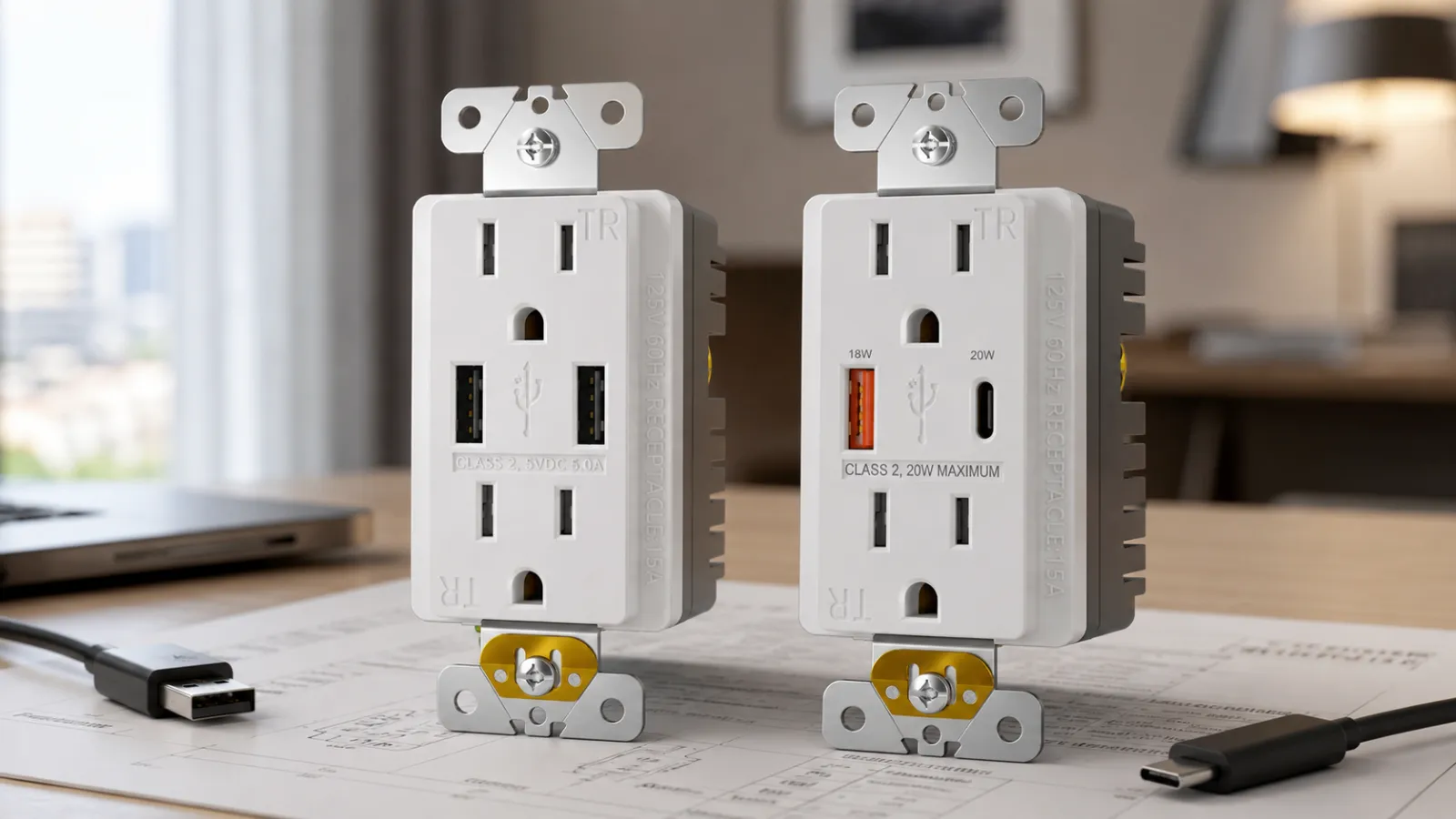
We sort our USB outlets by total output, not by which holes are on the front: non-PD at 5V/4.2A, then PD at 20W, 36W, and 65W. The A side runs the common quick-charge protocol, up to 18 watts. Two parts with identical C ports on the face can sit two tiers apart. Slow-charging complaints trace back to buying the face and skipping the tier – the long version is in the 65W slow-charging piece.
Both Ports at Once
Plug two laptops that each want 65 watts into our PD 65W outlet and they don’t both get 65. The outlet splits it – 32 watts to each port. The non-PD 5V/4.2A part behaves the same way: with both ports busy, each gets about 2.1 amps, roughly ten and a half watts. The 4.2-amp rating is for the pair together; each port gets about half of it.
At a single charge point used by one person, the split never shows. When two users charge at the same time at a two-person desk, or from a nightstand between two beds, the split becomes visible. USB-IF documentation separates multi-port designs into two kinds: assured capacity, where each port holds its rating no matter what the other is doing, and shared capacity, where the total gets divided as devices plug in. Under USB-IF’s Certified USB Charger labeling categories, a shared-capacity product must state that connected ports change the available power. They behave differently the moment two people charge at once. A cut sheet that prints one per-port number, or one total, won’t tell you which kind you bought. Ask for three things: the per-port output, the output with both ports loaded, and whether capacity is shared or assured.
Retrofit, Before the Ports Matter
On a new build the port choice is clean. On a replacement, the swap can stall before A-versus-C ever comes up, for reasons that have nothing to do with the connector. A USB receptacle sits deeper than a plain duplex; a shallow or crowded box can reject it on volume. A spot wired half-switched, with the lower half on a wall switch, won’t carry that switching into a USB combo device the same way. On a multi-wire branch circuit, two hot legs share one neutral – confirm how it’s wired before assuming any receptacle is a straight swap. A bathroom or counter location under a GFCI requirement keeps that requirement whether or not someone wants USB there.
These are the same line/load and shared-neutral traps the GFCI wiring-mistakes article walks through. Confirm the box, the circuit, and the protection first. Pick the ports second.
Writing It into the Order
A line that reads “duplex receptacle with USB, TR” can’t be built without a call back. It doesn’t say A/A, A/C, or C/C. It doesn’t say whether the C side does PD or sits at 5 volts. It doesn’t say what each port gives alone, or what the pair gives together.
We build the receptacle and print the layout, the PD tier, and the per-port and both-ports output on it. We sell to the trade, not direct to consumers, so we’re not the ones standing at the wall box – what we can hand you is the wording that gets the right part out the door. Whether a given property’s guests have shifted mostly to USB-C by now, I couldn’t tell you; we see the orders, not the rooms.
A buildable version of that same line:
Tamper-resistant duplex receptacle, USB-A/C (one A, one C). USB-C: PD, 20W tier. Per-port output and both-ports-loaded output stated on cut sheet; capacity marked shared or assured. Device depth confirmed against box volume. Finish: white.
A Short Map from Location to Port Layout
| Location | Cable Control | Layout | Why |
|---|---|---|---|
| Fixed device, set A cable (cradle, mounted tablet, desk phone) | Yours | Dual USB-A | The cable never changes |
| Guest rooms, shared desks, public points | Not yours | USB-A/C | Accepts either connector type |
| Managed all-USB-C fleet, documented | Yours | Dual USB-C | Matches the controlled cable standard |
The A/C and dual-C configurations are on the USB wall outlets category page.
Frequently Asked Questions
Is USB-A worth keeping on a new outlet?
At a wall outlet, yes. A fixed charging point can still be asked to accept USB-A cables, and at a shared point you don’t pick the cable a guest brings.
Should I get a USB-A/C outlet or dual USB-C for a guest room?
A/C, unless the property issues its own all-USB-C devices and keeps control of them. A guest brings whatever cable they own, and A/C accepts either one without anyone needing an adapter.
Does a USB-A/C outlet split power when both ports are used?
On a shared-capacity part, yes. On our PD 65W outlet, two devices each asking for 65 watts get 32 watts apiece. The non-PD 5V/4.2A part gives about 2.1 amps per port when both are busy. If both ports running at once matters at that location, get the both-ports-loaded number in writing, not just the headline total. Whether a single device still charges slower than its port’s rating is a separate question, covered in the 65W slow-charging article.
Will a USB-A/C outlet fit a standard wall box?
It’s deeper than a plain duplex, so check the box volume first – older and shallow boxes are where it gets tight. The depth is what to verify before the connector.
Does a USB-C port mean fast charging?
No. The connector is C; the speed depends on the current level it advertises and whether it runs Power Delivery. A C port without PD can sit as low as 5 volts.
What goes on the PO?
Port layout (A/A, A/C, C/C), the PD tier or non-PD rating, per-port output, both-ports-loaded output, shared or assured, tamper-resistant if required, and the finish. Plus box depth on retrofits.
How This Article Connects to the Rest of the ShengYu Library
The 32-watts-per-port split here is the same mechanism behind a 65W outlet charging a MacBook slower than its sticker suggests; that gets the full treatment in the 65W slow-charging piece. Whether a spot should have charging wired into the wall at all, instead of a wall charger you can swap in minutes, is the call the USB wall outlet versus wall charger article works through – this one picks up after that decision is made. The retrofit blockers above, the shared neutrals and switched halves, are the same wiring traps the GFCI line/load wiring article covers.
Sources and Internal Basis
External Sources
- USB Implementers Forum (USB-IF), USB Type-C and USB 2.0 Type-C Cable and Connector Language, Product and Packaging Usage Guidelines. Referenced for the distinction between a USB Type-C connector and USB Power Delivery capability:
USB-IF Type-C Language and Packaging Guidelines - USB Implementers Forum (USB-IF), USB Logo Usage Guidelines. Referenced for the Certified USB Charger categories covering multi-port assured-capacity and shared-capacity USB Type-C chargers and their labeling requirements:
USB-IF USB Logo Usage Guidelines
Internal Basis
- ShengYu internal – May 2026 Toronto wholesaler USB outlet layout RFQ and the USB outlet production figures reviewed for that reply.
- ShengYu internal – USB outlet product specifications for non-PD 5V/4.2A models and PD 20W, 36W and 65W output tiers.
Related Reading
- Why 65W Dual USB-C Wall Outlets Are Gaining Ground in Hotels, Offices, and Modern Renovation Projects
- Why Your 65W USB-C Wall Outlet Charges a MacBook, iPad, or Phone Slower Than Expected
- USB Wall Outlet vs Wall Charger: Why It Was Never an Either/Or
- GFCI Outlet Wiring Mistakes: Line/Load, Downstream Protection, and Shared Neutral Problems
Reviewing USB outlet layouts for a project order?
Send the port layout, output tier, both-ports-loaded requirement, box constraints and any TR or GFCI requirements in the schedule. We can review the quoted USB outlet configuration before the order is finalized.