15 amp gfci outlet with usb c
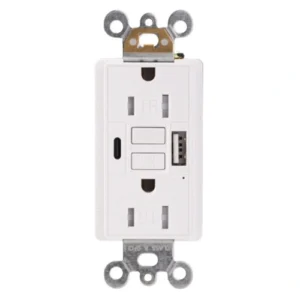
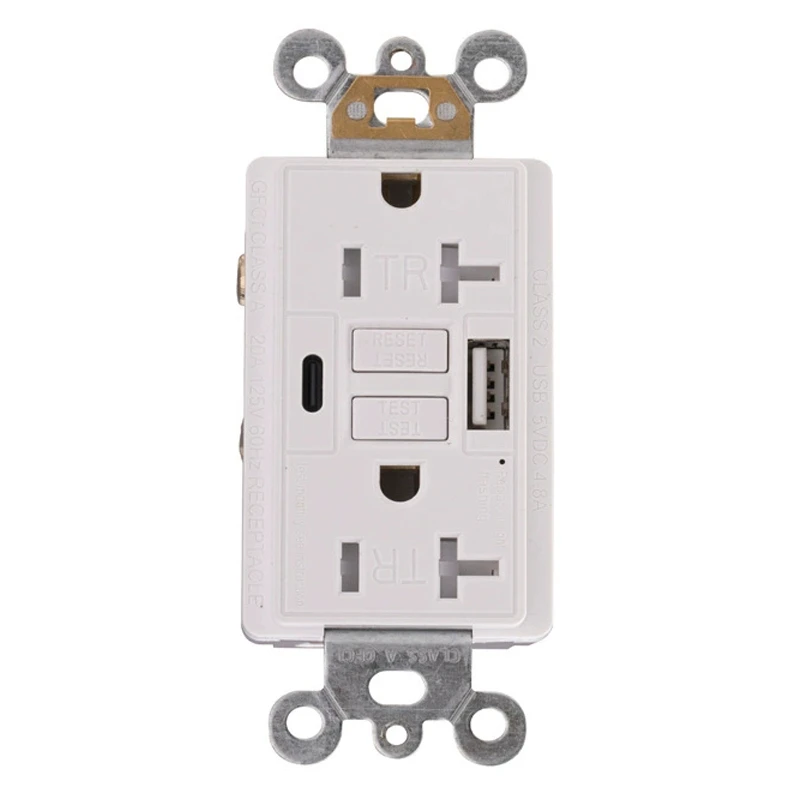
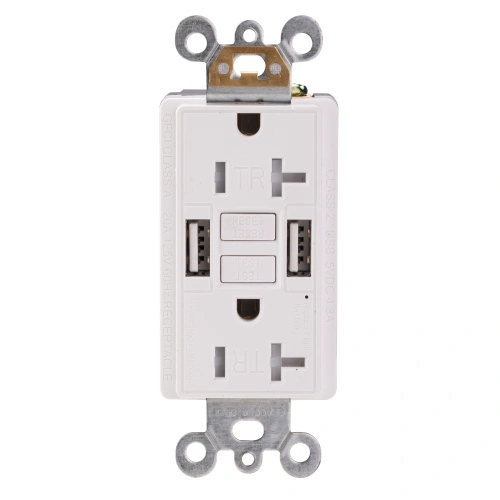
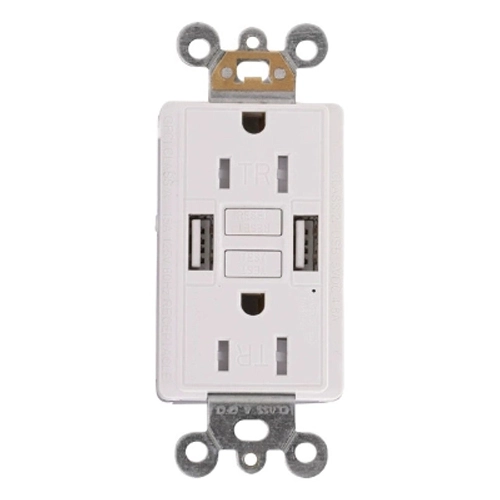
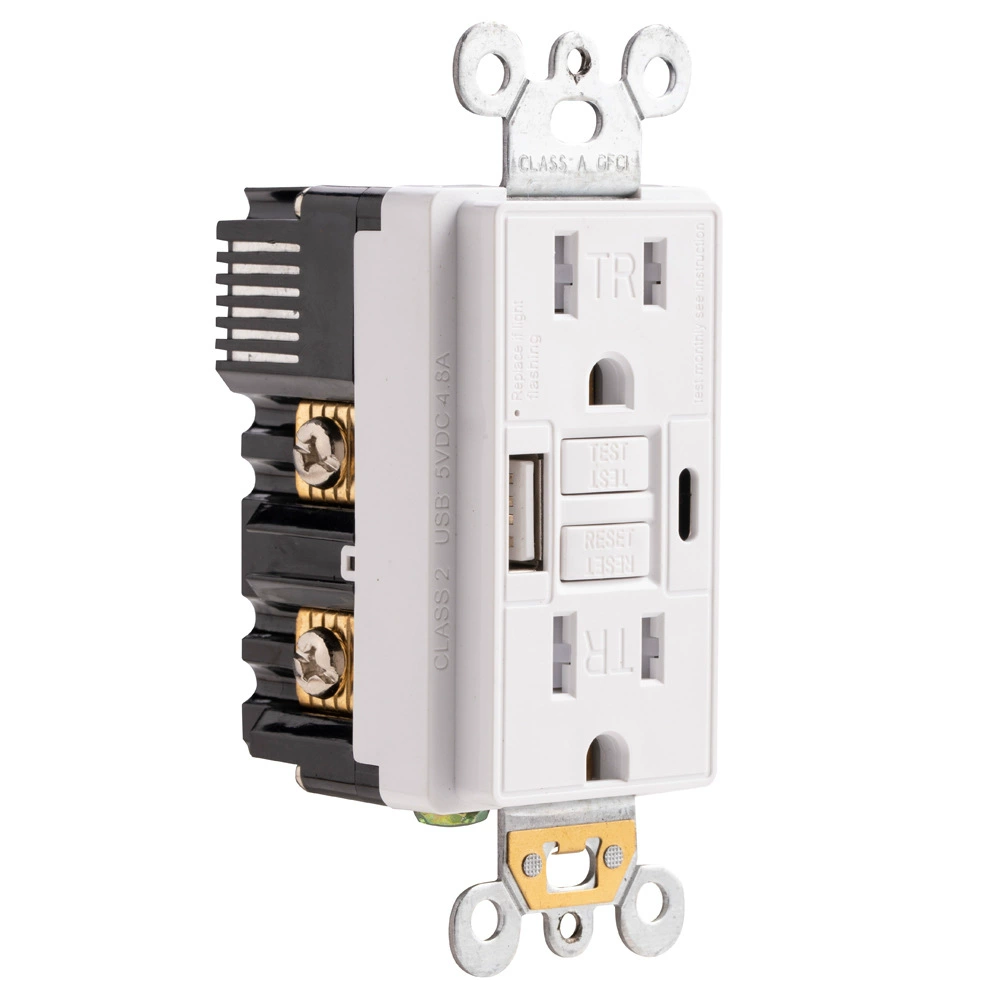
white 15 amp GFCI outlet with USB-A and USB-C front view
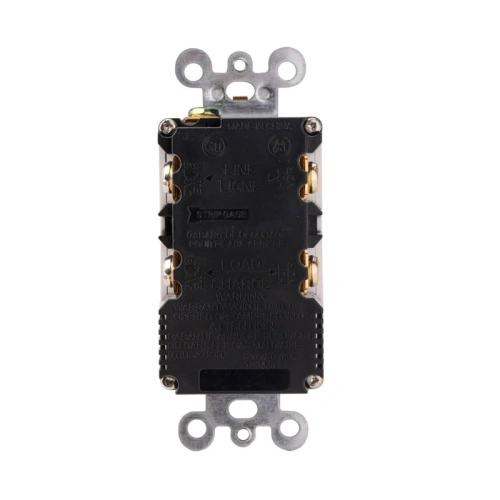
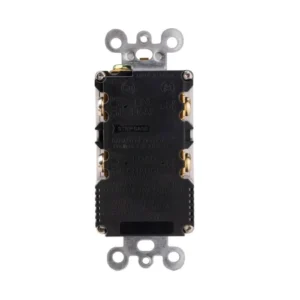
rear wiring view of UL listed 15 amp GFCI with USB ports
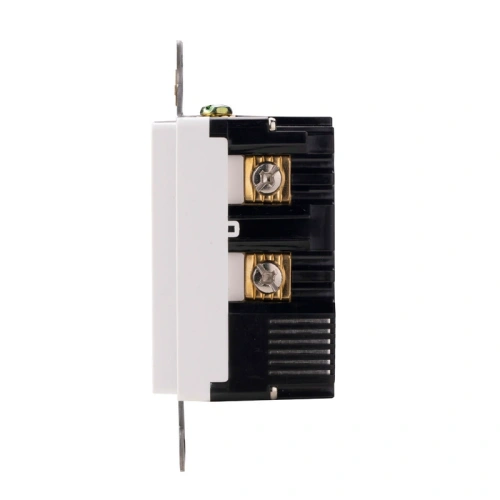
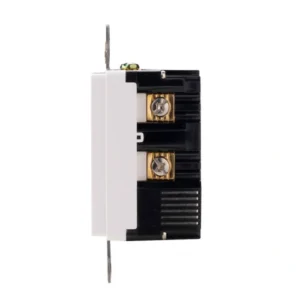
side view of 15A self-test GFCI receptacle with USB charging
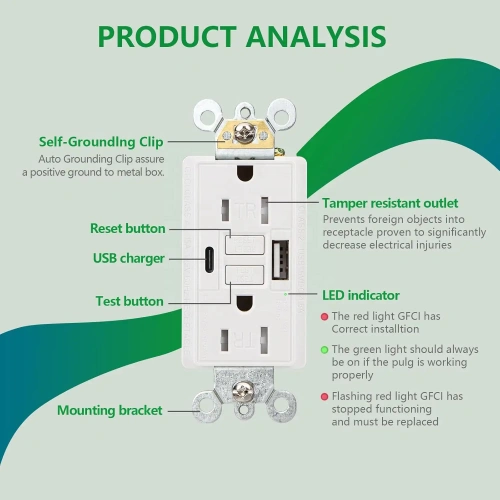
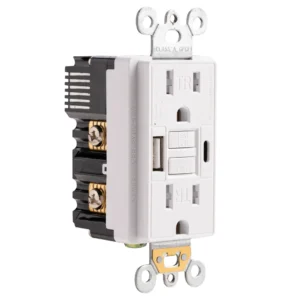
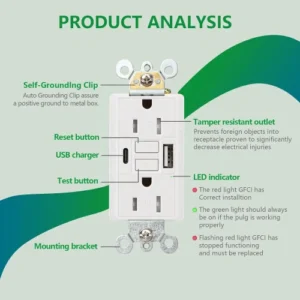
analysis 15 amp GFCI receptacle with USB-C for modern interiors
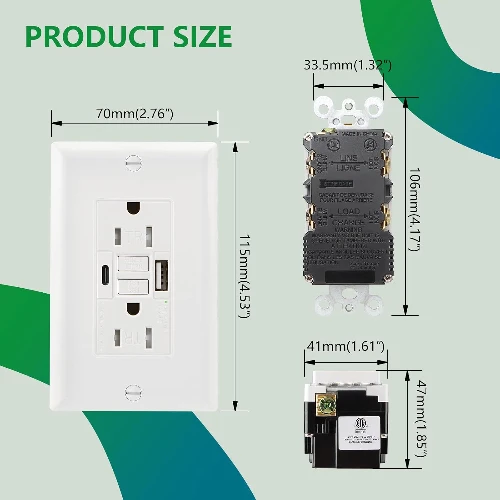
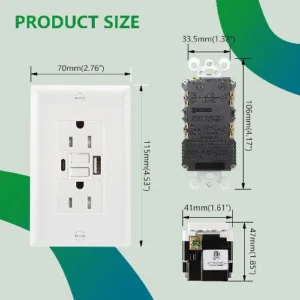
dimension drawing of 15 amp GFCI outlet with USB-A and USB-C
15 amp gfci outlet with usb c
white 15 amp GFCI outlet with USB-A and USB-C front view
rear wiring view of UL listed 15 amp GFCI with USB ports
side view of 15A self-test GFCI receptacle with USB charging
analysis 15 amp GFCI receptacle with USB-C for modern interiors
dimension drawing of 15 amp GFCI outlet with USB-A and USB-C

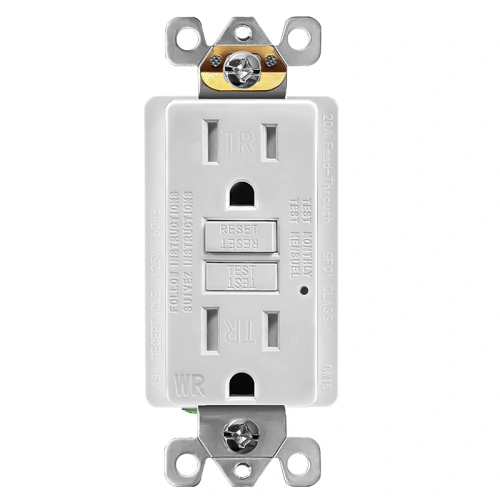
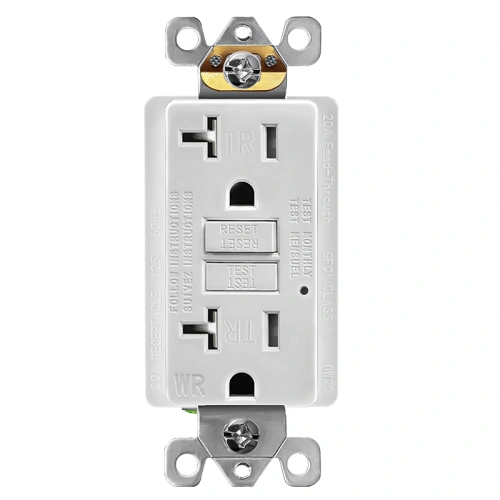
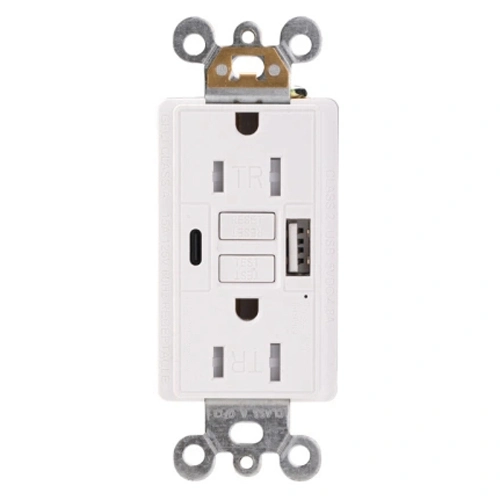
15A Self-Test TR GFCI Receptacle with USB-A and USB-C

  • Automatic self-test monitoring helps verify GFCI protection status
  • UL/cUL listed under the UL 943 Class A GFCI framework with a 5mA ±1mA trip level
  • Tamper-resistant AC receptacles support indoor applications that require TR protection under NEC 406.12
  • Hybrid charging design with one USB-A port and one USB-C port
  • 5.0A total USB output with up to 5V DC 2.4A from the USB-A port and 5V DC 2.4A from the USB-C port
  • Wall plate included

Available Colors

Products Categories
Get A Free Quote
Request a Quote

What Is a 15A USB-A/C GFCI Receptacle?

A 15 AMP GFCI Outlet with USB C receptacle is an indoor wall device that combines Class A ground-fault protection with built-in USB charging in one standard 15A receptacle format. On the current UWTST15 page, this model is identified as a 15A, 125V, NEMA 5-15R tamper-resistant self-test GFCI with dual USB-A ports, up to 5V/2.4A from one port, and up to 5A total output across both ports. That makes it suitable for projects that need both code-oriented GFCI protection and convenient in-wall charging without adding bulky power adapters.

Who Should Use This Model

  • Contractors sourcing indoor GFCI + USB combo upgrades
  • hospitality buyers modernizing vanity and guest charging points
  • property management teams upgrading kitchens and bathrooms
  • distributors building out hybrid USB charging inventory can all use this model for indoor projects where both legacy USB-A and newer USB-C device charging need to coexist.

When to Choose a Different Model

Hybrid USB-A/C GFCI Outlet Specifications

Product Code UCWTST15
Certified Safety UL, cUL
GFCI Type Self-Test GFCI, Class A GFCI
Voltage 125V
Amperage 15A
NEMA 5-15R
USB Rating 5.0A, 5V DC
USB A 5V DC 2.4A
USB C 5V DC 2.4A
Color White,Ivory,Almond,Black,Grey,Brown,Graphite
Finish Satin
Operating Temperature -35C to 66C(-30F to 150F)
Application Sector Commercial, Multi-Dwelling Unit, Residential
Features Alarm, Self-Test
Wiring Method Back Wire and Side Wire
Pole 2
Wire 3
Wall Plate Included Yes
Number of Receptacles 2
Standards & Certifications UL/CSA, NEMA WD6
Grounding Self Grounding
Trip Level Class A, 5mA plus or minus 1mA
Safety Function Automatic self-test monitoring
Tamper Resistant Yes
Weather Resistant None
Own US Patents Yes
Face Material Thermoplastic
Body Material Thermoplastic
Terminal Brass-Hot, Green-Ground, Silver-Neutral
Country of Origin China

Frequently Asked Questions (FAQ)

What is a combination GFCI receptacle with USB-A and USB-C ports?

A combination GFCI receptacle with USB-A and USB-C ports is an indoor wall device that combines Class A ground-fault protection with two different USB charging interfaces in one standard 15A receptacle. It is used when a project needs both GFCI safety and charging support for newer USB-C devices as well as legacy USB-A devices.

Will this USB-C port fast-charge a laptop?

No. The live specification lists the USB-C port at 5V DC 2.4A, which is standard 5V charging rather than high-voltage USB-C Power Delivery for laptops. This model is better suited to phones, tablets, earbuds, and other standard USB devices than to notebook charging.

What does 5A total USB output mean?

A 5A total USB output means the built-in USB-A and USB-C ports share up to 5 amps of total 5V DC charging capacity. On this model, the USB-A port is listed at 5V DC 2.4A and the USB-C port is listed at 5V DC 2.4A, which makes the receptacle suitable for convenient dual-device charging in the same wall location.

Do the USB-A and USB-C ports lose power if the GFCI trips?

This is one integrated wall device, so the USB charging section and the AC GFCI section should be treated as part of the same installed unit rather than as separate products. For installed performance and safety expectations, the device should be used according to its listing, wiring diagram, and supplied product instructions.

Can this GFCI USB-A/C receptacle be used in a bathroom or kitchen?

Yes. This model is positioned as an indoor 15A TR self-test GFCI with built-in USB charging, which makes it suitable for indoor locations such as bathrooms, kitchens, and similar upgrade projects where GFCI protection and charging convenience are both needed.

Are the AC outlets on this unit tamper-resistant?

Yes. The AC receptacle portion of this model is tamper-resistant. The tamper-resistant shutter feature applies to the AC slots, while the USB-A and USB-C charging ports are separate charging interfaces.

Is this hybrid USB GFCI weather-resistant?

No. The live specification lists Weather Resistant as none, so this is an indoor USB GFCI receptacle rather than an outdoor WR device. It is suited to indoor bathrooms, kitchens, hospitality interiors, and similar projects rather than exterior installations.

Does this model include self-testing?

Yes. This receptacle is built as a self-test GFCI, and UL states that UL 943 applies to Class A GFCIs intended for personnel protection. That makes it suitable for buyers who want a current self-test indoor GFCI with hybrid USB-A and USB-C charging instead of an older non-self-test replacement.
15A GFCI Receptacle with USB-A & USB-C Applications

Hotel Bathroom Vanities

Guests charge phones at the vanity without unplugging the hairdryer. Meets NEC 210.8(B) with integrated USB.

UL · cUL · UL 943 Class A

Airbnb & Short-Term Rentals

One device covers GFCI plus USB charging guests expect. Removes plug-in adapters that get lost between stays.

UL · cUL · Self-Test · USB-A+C

Student Housing

Dorm kitchenettes need GFCI under NEC 210.8; students need USB at every desk. One device does both.

UL · cUL · NEC 210.8

Master Bedrooms

GFCI coverage near en-suite vanities plus nightstand USB charging from one gang box. Self-test built in.

UL · cUL · Self-Test

UL Listed USB-A and USB-C GFCI Overview

5-Step Quick Wiring Guide for GFCI Receptacles

This is a general wiring reference for standard U.S. GFCI receptacle installation. Always turn off power first and verify local code and product-specific instructions before installation.

  1. Turn Off Power: Switch off the breaker and verify the electrical box is de-energized with a voltage tester.
  2. Identify LINE and LOAD: Locate the incoming power cable for the LINE terminals. If a second cable feeds downstream receptacles, identify it as LOAD and use it only when downstream GFCI protection is required.
  3. Connect the LINE Wires: Connect the incoming hot wire to the brass LINE terminal, the incoming neutral wire to the silver LINE terminal, and the ground wire to the green grounding terminal.
  4. Connect LOAD Only If Needed: If downstream protection is required, connect the outgoing hot wire to the brass LOAD terminal and the outgoing neutral wire to the silver LOAD terminal. Do not reverse LINE and LOAD.
  5. Mount and Test the GFCI: Fold the wires neatly into the box, mount the receptacle and wall plate, restore power, press RESET, then press TEST to confirm proper operation before resetting again.

Related GFCI Receptacles

Scroll to Top

Get A Free Quote Now !

Request a Quote
Partner with ShengYu Manufacturing for UL-certified wiring devices. We offer competitive factory-direct pricing and dedicated support for your large-scale projects.
about us